Loop any video
as a fake webcam
CamLooper is fake webcam software that turns any recording into a seamless virtual camera for Zoom, Teams, OBS, Discord and every other app that reads a webcam. Free, cross-platform, and everything stays on your machine.
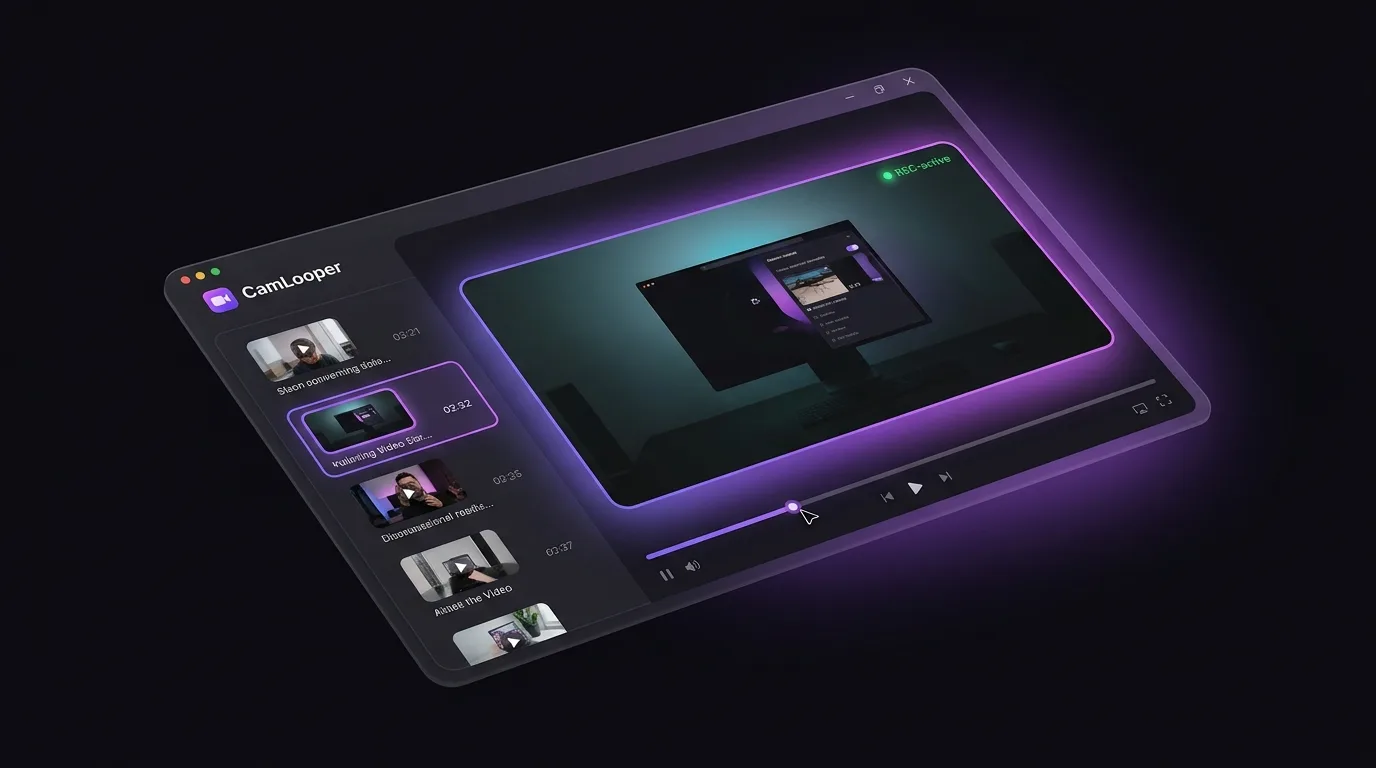
Everything you need in a fake webcam
Built for content creators, streamers, educators and everyone who's tired of "sorry, my camera isn't working".
Universal virtual camera
Registers as a real webcam device — so it shows up in Zoom, Teams, Meet, OBS, Discord, Slack, and anything else that supports a camera input.
Seamless looping
Loop any recording indefinitely with clean cuts. Perfect for background loops, standing demos, or "always-live" content.
Fast, native, low overhead
Tauri + Rust + FFmpeg under the hood — small install, low CPU, no Electron bloat.
Works with everything
If it takes a webcam, it takes CamLooper. Meeting apps, streaming tools, browser-based conferencing — all supported.
Drag, drop, done
Drop a video, tweak loop and quality options, hit start. The virtual camera is live in the next app you open.
Local-only by design
All video processing runs on your machine. Nothing is uploaded, no accounts, no telemetry on your content.
How CamLooper works
Three steps between "I have a video" and "everyone sees it in my next call".
Drop in your video
Any common format — MP4, MOV, MKV, WebM. Or record straight into the app.
Pick loop & quality
Loop forever or once, choose resolution and framerate to match your bandwidth.
Select CamLooper as camera
In any meeting or streaming app, pick "CamLooper Virtual Camera" as your webcam.
Built for anyone who shows up on camera
A few of the ways people use CamLooper today.
Professional video calls
Roll a pre-recorded intro, keep a branded background loop running, or use a polished pitch clip as your camera during a big meeting.
Streaming & content
Feed loops into OBS as a camera source. Great for standing intros, be-right-back scenes, or product demo B-roll.
Education & training
Use pre-recorded lectures, worked examples, or lab footage inside live class calls without switching windows.
QA & developer testing
Give your app a deterministic, repeatable camera feed. Perfect for computer-vision testing and demo environments.
A fake webcam for Zoom, Teams and every app you already use
Anywhere you can pick a webcam, you can pick CamLooper.
Download for your platform
Native installers for Windows, macOS and Linux. Always free.
The .deb pulls in v4l2loopback and loads it on install and every boot — the virtual camera is ready immediately.
Download .deb (v0.2.4)The .rpm pulls in v4l2loopback-dkms + ffmpeg and configures the virtual camera automatically.
Download .rpm (v0.2.4)Install from the Microsoft Store — verified by Microsoft, sets up the DirectShow virtual camera for you, and updates automatically.
Get from Microsoft StoreNative .dmg for Apple Silicon and Intel is still in the release pipeline.
Coming soonFake webcam questions, answered
Is CamLooper really free?
Yes. CamLooper is completely free fake webcam software — free to use, including commercially. Development is supported by unobtrusive in-app ads that never touch your video content.
Do my videos get uploaded anywhere?
No. All processing runs locally on your computer using FFmpeg. Video files never leave your machine, there are no accounts, and there's no telemetry on the content you play.
Does it work on Apple Silicon Macs?
An Apple Silicon (aarch64) .dmg is in the release pipeline alongside the Intel build. Note: the macOS virtual-camera System Extension needs a signed & notarized build to load, which is what we're waiting on.
How is CamLooper different from just sharing my screen?
Screen sharing takes over your whole window and doesn't loop. CamLooper appears as a real webcam device, so it composes naturally next to other participants, works in speaker view, and can be used anywhere a webcam is expected.
How do I uninstall it?
Same as any other native app: Windows uses Add or remove programs, macOS is drag-to-Trash, and Linux uses your package manager (apt remove camlooper or dnf remove camlooper).
Where can I report a bug or request a feature?
Email [email protected] with a description and, if possible, a screen recording.
How do I fake my webcam in Zoom?
Install CamLooper, drop in the video you want to play, and hit Start. Then in Zoom go to Settings → Video and pick "CamLooper Virtual Camera" as your camera. Zoom treats it like any other webcam, so your video loops right where your live feed would normally be. The same steps work in Teams, Google Meet, Discord and OBS — just select CamLooper in the app's camera settings.
Is a fake webcam safe to use — or against Zoom's rules?
The software itself is safe: a fake webcam simply registers as a camera device on your computer, using the same mechanism as OBS's virtual camera. Zoom, Teams and Discord all allow virtual cameras — they're widely used for overlays and pre-recorded content. What you play through it is your responsibility: be upfront with the people on your call, and don't use a fake webcam to impersonate someone or to get around identity checks such as proctored exams or KYC verification.
What's the difference between a fake webcam and a virtual camera?
They're two names for the same idea: software that registers as a camera device and feeds it whatever video you choose. "Virtual camera" is the technical term, popularized by OBS; "fake webcam" is what most people call it. CamLooper is both — it creates a virtual camera on your system and fills it with a smoothly looping video file.
What CamLooper is not for
CamLooper is not a cheating tool. Don't use it for proctored exams, identity or KYC verification, job interviews, or to impersonate anyone. It exists so you can meet a camera-on requirement without broadcasting your home to a room of strangers.
How you use CamLooper is your responsibility alone. Your school's rules, your employer's, your platform's terms of service and the law where you live all still apply.